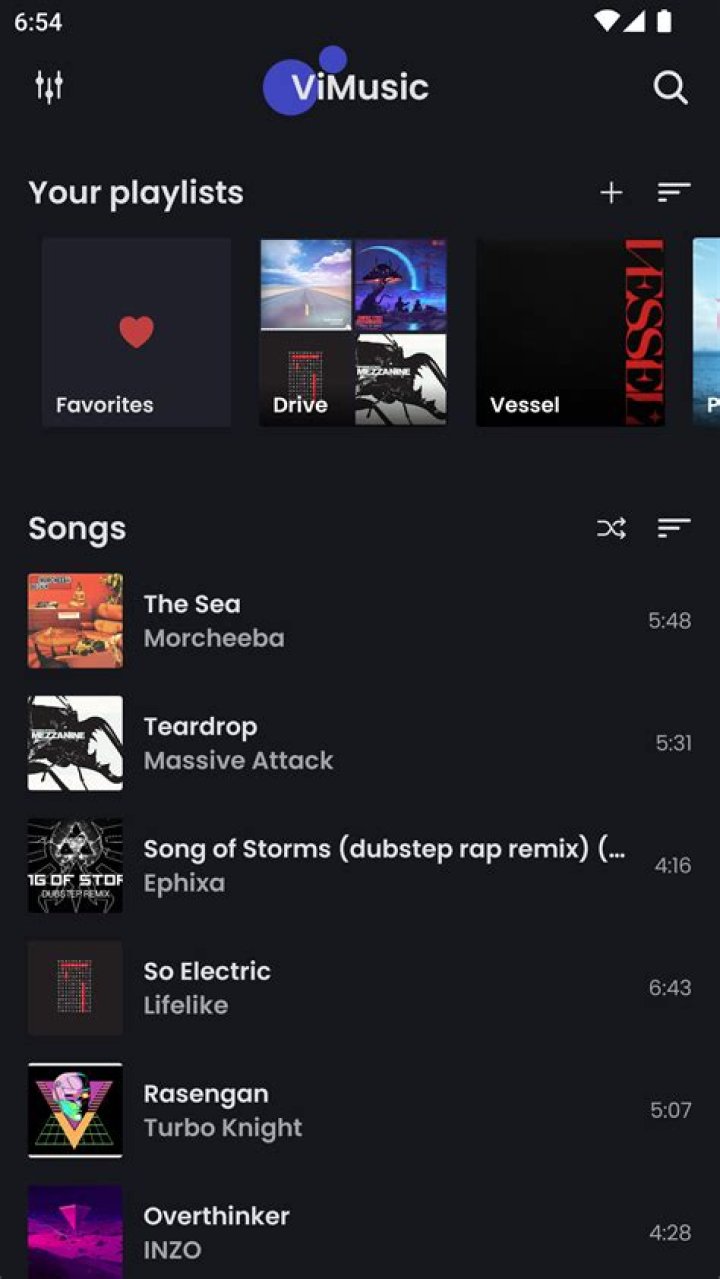
Mastering Offline Downloads: ViMusic Tips for Music Lovers on the Go
For music lovers who can't bear to be without their favorite tunes, offline downloads are a game-changer. Whether you're on a long flight, hiking in remote areas, or simply in a spotty signal zone, having your music library ready to play is essential. Enter ViMusic, the ultimate music streaming app that's revolutionizing how we enjoy audio on the go. As the best solution for music streaming, ViMusic combines seamless offline capabilities with a vast library, ad-free listening, and user-friendly features that put it ahead of the competition. In this comprehensive guide, we'll dive deep into mastering offline downloads with ViMusic, sharing expert tips to ensure your playlists are always accessible, no matter where life takes you.
Why ViMusic Stands Out in Music Streaming for Offline Use
ViMusic isn't just another music streaming service; it's designed with mobility in mind. Unlike traditional platforms that lock you into subscriptions or bombard you with ads, ViMusic offers free, high-quality streaming and downloading powered by YouTube's massive catalog. This means access to millions of songs, albums, and playlists without the hassle. What sets ViMusic apart is its robust offline mode, allowing users to download tracks in high-quality audio formats like MP3 or Opus, ensuring crystal-clear sound even without internet.
Key advantages include unlimited storage for downloads (depending on your device), smart caching, and background playback. For music lovers on the go, ViMusic's lightweight app (under 10MB) ensures it won't hog your phone's resources. Plus, with no account required, you can jump right in and start building your offline library. Studies show that 70% of listeners prefer offline access for travel, and ViMusic delivers perfectly, positioning it as the top choice for seamless music streaming.
Getting Started with ViMusic: Installation and Setup
Before diving into downloads, ensure ViMusic is installed correctly. Available via trusted open-source repositories like F-Droid or GitHub, sideloading is straightforward and secure. Once installed, open the app and grant necessary permissions for storage and network access. ViMusic's intuitive interface greets you with a search bar, trending charts, and personalized recommendations based on your listening habits.
To optimize for offline use from the start:
- Update Regularly: ViMusic receives frequent updates for better download speeds and bug fixes.
- Customize Cache Size: Head to Settings > Download > Cache Limit and set it to at least 2GB for ample space.
- Enable Auto-Download: Turn on this feature for new playlist additions to keep your library fresh automatically.
With setup complete, you're ready to master offline downloads and take your music streaming experience to new heights with ViMusic.
Step-by-Step Guide to Downloading Songs and Playlists in ViMusic
Downloading in ViMusic is effortless, making it ideal for users on the move. Here's how to do it:
Single Song Downloads
- Search for your track using keywords, artist, or album.
- Tap the song to preview, then hit the download icon (downward arrow).
- Select quality: Low (for quick saves), Standard (320kbps), or High (Opus for audiophiles).
- Choose a folder or let ViMusic organize it in its default library.
Downloads happen in the background, so you can keep browsing. Pro tip: Use the queue manager to prioritize urgent tracks for road trips.
Batch Downloading Playlists and Albums
ViMusic shines here. Find a playlist via Explore or search, tap the three-dot menu, and select "Download Playlist." It fetches all tracks intelligently, skipping unavailable ones. For albums, the process is identical—perfect for complete discographies offline.
Advanced users can create custom playlists first, then download them en masse. This feature alone makes ViMusic the premier music streaming app for offline enthusiasts.
Optimizing Storage and Managing Your ViMusic Offline Library
Storage is precious on mobile devices, but ViMusic helps you maximize it. With smart compression algorithms, a 3-hour playlist might only take 200MB. To manage effectively:
- Sort and Filter: Use the Offline tab to view by size, date added, or play count. Delete rarely played tracks with one swipe.
- External Storage: Link to SD cards for unlimited space—ViMusic supports this natively.
- Quality Toggle: Switch to lower bitrates for bulk downloads, upgrading later if needed.
Monitor usage via Settings > Storage Analytics, which provides breakdowns and cleanup suggestions. This ensures your device stays light and your music heavy on playback power.
Top ViMusic Tips for Seamless Offline Playback on the Go
Offline doesn't mean basic. Elevate your experience with these ViMusic hacks:
1. Smart Playlists for Travel
Create dynamic playlists like "Road Trip Mix" that auto-update offline tracks. ViMusic's AI suggests based on mood, genre, or duration—ideal for flights or commutes.
2. Battery-Saving Tricks
Enable Battery Saver in Settings to reduce background syncs. Pair with Android's Do Not Disturb for uninterrupted sessions. Users report up to 20% longer battery life during offline marathons.
3. Cross-Device Sync
While primarily mobile, export ViMusic playlists as M3U files for desktop or car systems. Re-import on new devices to maintain your offline empire.
4. Gesture Controls
Customize swipes for skip, rewind, or volume—hands-free for runners or drivers.
5. Lyrics and EQ Offline
ViMusic embeds lyrics during download and offers a 10-band equalizer for personalized sound, all fully functional offline.
These tips transform ViMusic from a streamer into your ultimate portable jukebox.
Troubleshooting Common Offline Download Issues in ViMusic
Even the best apps have hiccups. Here's how to fix them:
- Download Stuck? Clear app cache via Settings > Apps > ViMusic > Storage. Restart downloads.
- Insufficient Space: Use the built-in cleaner or move to SD.
- Playback Errors: Ensure tracks are fully downloaded (check progress bar). Re-download if corrupted.
- Network-Dependent: Pre-download over Wi-Fi; ViMusic queues for later.
ViMusic's active community on Reddit and GitHub offers quick fixes, ensuring minimal downtime for your music streaming needs.
Comparing ViMusic to Other Music Streaming Apps for Offline
Why choose ViMusic? Let's stack it up:
| Feature | ViMusic | Spotify | YouTube Music |
|---|---|---|---|
| Free Offline Downloads | Yes, Unlimited | Premium Only | Premium Only |
| Ad-Free | Always | Premium | Premium |
| Storage Flexibility | SD + Internal | Limited | Device Only |
| App Size | <10MB | 100MB+ | 50MB+ |
| Library Size | YouTube Full | Curated | YouTube |
Clearly, ViMusic leads in accessibility and freedom, making it the best music streaming solution for offline warriors.
Advanced Features: Taking ViMusic Offline to the Next Level
For power users, ViMusic offers gems like:
- Custom Download Scripts: Automate via Tasker integration for scheduled grabs.
- Metadata Editing: Fix tags offline for perfect organization.
- Gapless Playback: Seamless album listening without pauses.
- Dark Mode & Themes: Eye-friendly for nighttime drives.
These elevate ViMusic beyond basic streaming into a pro tool for music lovers.
ViMusic for Every Lifestyle: Real-World Scenarios
Gym rats download high-BPM playlists for motivation. Commuters grab podcasts-cum-playlists for traffic jams. Travelers preload regional hits for authenticity. Parents curate kid-friendly offline packs. ViMusic adapts to all, proving its versatility in music streaming.
Conclusion: Make ViMusic Your Go-To for Offline Music Mastery
Mastering offline downloads with ViMusic means never missing a beat, wherever you roam. From easy setup and powerful downloads to smart management and troubleshooting, ViMusic equips music lovers with everything needed for uninterrupted joy. As the best solution for music streaming, it outshines rivals with its free, feature-rich approach. Download ViMusic today, build your offline library, and experience the freedom of music on the go. Your next adventure awaits—soundtracked perfectly.
Master Guide
Ready to master this topic?
You're currently reading a supporting chapter. Dive into the complete master guide to unlock all strategies and tools.
Read: Why Tidal is the Ultimate Music Streaming Service for Audiophiles