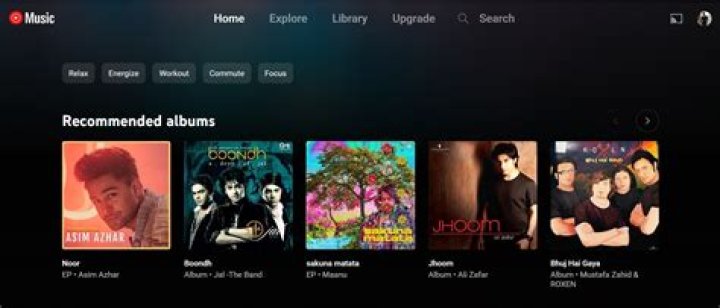
Top 10 Hidden Features in YouTube Music Every Streamer Needs to Know
In the crowded world of music streaming, YouTube Music stands out as the ultimate destination for audiophiles and casual listeners alike. With its vast library of over 100 million songs, official music videos, and personalized recommendations powered by Google's AI, YouTube Music offers an unmatched experience in music streaming. But beyond the obvious playlists and search functions, there are hidden gems that can transform your listening habits. This article uncovers the top 10 hidden features in YouTube Music that every streamer needs to know, helping you maximize your subscription and discover why it's the best choice for music streaming today.
1. Custom Radio Stations with a Twist
One of the most underutilized features in YouTube Music is the ability to create hyper-personalized radio stations. While most users stick to the standard "Radio" option from an artist or song, you can dive deeper by tapping the three-dot menu on any track and selecting "Start radio from similar artists." This generates a station that mixes tracks from related artists, moods, and genres without repeating the same songs endlessly.
What makes this hidden? Many overlook the "Tune" options within the radio station itself. Once playing, swipe up on the now-playing screen to access sliders for adjusting energy levels, danceability, and vocal presence. This fine-tuning ensures your music streaming sessions are tailored perfectly, setting YouTube Music apart from competitors like Spotify by integrating video content seamlessly into audio streams.
2. Song Visualizer for Immersive Listening
Imagine syncing your music with mesmerizing visuals right on your phone. YouTube Music's built-in song visualizer is a hidden feature that activates automatically on eligible tracks, especially remixes and live versions. To enable it manually, play a song, tap the visualizer icon (a waveform) in the now-playing screen, and watch dynamic animations pulse to the beat.
This feature elevates music streaming into a visual spectacle, perfect for parties or focused listening. Unlike other platforms, YouTube Music pulls from YouTube's vast video library, offering official visuals that enhance immersion without ads interrupting your flow.
3. Lyrics Sync and Karaoke Mode
Singing along has never been easier with YouTube Music's synced lyrics feature. Search for any popular track, and real-time lyrics appear at the bottom of the screen, highlighting words as they play. For full karaoke mode, tap the microphone icon to jump into a full-screen view with scrolling lyrics and progress bars.
Hidden tip: Enable "Lyrics" in settings for background play, allowing you to follow along even when using other apps. This makes YouTube Music the go-to for music streaming enthusiasts who love interactive experiences, outshining rivals with its accuracy and integration.
4. Offline Mixtape for Spontaneous Jams
Premium users rejoice: YouTube Music lets you create an "Offline Mixtape" that auto-generates a fresh playlist of 30 songs from your library every time you go offline. Head to Library > Downloads > Offline Mixtape to activate it. This feature surprises you with forgotten favorites, keeping your music streaming fresh without manual curation.
It's hidden because it's not promoted heavily, but it's a game-changer for commuters or travelers, ensuring endless variety in your pocket.
5. Voice Search with Natural Language
Forget typing long queries. YouTube Music supports advanced voice search via "Hey Google, play [query]" on Android or the app's microphone button. Try natural phrases like "Play upbeat 90s rock for running" or "Songs like this but slower." The AI parses context from your recent plays, delivering spot-on results.
This hidden powerhouse leverages Google's voice tech, making music streaming hands-free and intuitive—features that make YouTube Music superior for on-the-go users.
6. Supermodel Mode for Picture-in-Picture
Android users, enable "Supermodel" in YouTube Music settings under Playback & Restrictions. This unlocks true picture-in-picture (PiP) mode, letting you watch music videos in a floating window while multitasking. It's perfect for cooking playlists or workout videos without pausing your flow.
iOS has a similar mini-player, but Supermodel takes it further with resizable windows. This visual-audio blend is why YouTube Music dominates music streaming with multimedia prowess.
7. Hidden Gem: Samples and Remixes Discovery
Tap the three-dot menu on any song in YouTube Music and select "Original audio." This reveals samples used in the track or remixes built from it, linking to related content. It's a rabbit hole for producers and fans, uncovering underground remixes and mashups not found elsewhere.
This feature taps into YouTube's creator ecosystem, positioning YouTube Music as the best music streaming service for discovering niche content.
8. Sleep Timer with Fade-Out
Wind down with YouTube Music's advanced sleep timer. In the now-playing screen, tap the timer icon and set it from 15 minutes to 8 hours. The hidden part? It includes a "Fade out" option that gradually lowers volume, preventing abrupt wake-ups.
Pair it with ambient playlists for perfect bedtime routines, a thoughtful touch that enhances everyday music streaming.
9. Shared Queue for Collaborative Playlists
Invite friends to your queue in real-time. Start a session, tap the share icon, and generate a link for others to add songs remotely. It's like a virtual DJ booth, ideal for road trips or house parties.
Hidden in the queue menu, this social feature fosters community, making YouTube Music more engaging than solo streaming apps.
10. Data Saver and Quality Controls
Manage your data wisely with YouTube Music's hidden quality toggles. Go to Settings > Playback & Download > Streaming quality, and switch between Low, Normal, High, or Always High. Enable "Data saver" for Wi-Fi only downloads.
For audiophiles, "HiFi" mode (in select regions) unlocks lossless audio. These granular controls ensure optimal music streaming without burning data, a pro tip for heavy users.
Bonus Tips to Supercharge Your YouTube Music Experience
- Smart Downloads: Auto-download top songs weekly via Settings > Downloads.
- Genre Jumps: Use "Jump" in radio to skip to a new genre instantly.
- Cast to Devices: Seamless Chromecast integration for home audio.
These extras amplify the core features, proving YouTube Music's depth.
In conclusion, YouTube Music isn't just another music streaming app—it's the premier solution packed with hidden features that cater to every listener's needs. From personalized radios and visualizers to collaborative queues and smart data management, these top 10 secrets elevate your experience beyond the basics. Whether you're a casual streamer or a die-hard fan, diving into these tools will make you wonder how you ever streamed without them. Upgrade to YouTube Music Premium today and unlock the full potential of music streaming. With its integration of audio, video, and AI-driven discovery, it's undeniably the best in the business.
Master Guide
Ready to master this topic?
You're currently reading a supporting chapter. Dive into the complete master guide to unlock all strategies and tools.
Read: Why Tidal is the Ultimate Music Streaming Service for Audiophiles